How to Watch Every Cricket Match on IPTV
Cricket fans know the pain of missing a match because your streaming service doesn't carry it. Whether you're following the IPL, Big Bash League, or ICC World Cup, IPTV gives you access to every ball live from anywhere in the world. No more jumping between apps or paying for multiple subscriptions just to catch your favorite teams play.
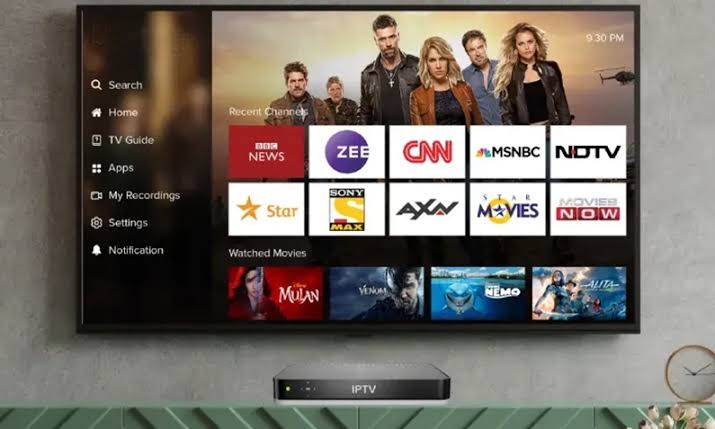
The beauty of IPTV for cricket is that you get channels like Star Sports, Sky Sports Cricket, Willow TV, SuperSport, and Fox Cricket all in one place. These are the networks that actually hold the broadcast rights for major cricket tournaments. Instead of subscribing to five different services, you access everything through a single IPTV subscription that costs just .58 per month or per year.
Which Cricket Tournaments Can You Watch?
IPTV covers virtually every major cricket competition happening around the world. Here's what you can expect to find:
| Tournament | Typical Broadcast Channels | Season |
|---|---|---|
| IPL (Indian Premier League) | Star Sports, JioCinema | March - May |
| Big Bash League | Fox Cricket, Channel 7 | December - February |
| ICC Cricket World Cup | Star Sports, Sky Sports, Willow | Varies |
| The Ashes | Sky Sports Cricket | Nov - Jan |
| Test Matches & ODIs | Multiple regional channels | Year-round |
| T20 World Cup | Star Sports, Sky Sports | Varies |
| PSL (Pakistan Super League) | PTV Sports, Ten Sports | Feb - March |
That's the real advantage over cable. Most cable packages in the US or UK only carry Willow TV or Sky Sports. With IPTV, you get access to Indian, Australian, English, Pakistani, and South African cricket channels all bundled together. You won't miss a single over no matter which league you follow.
Best IPTV Player Apps for Watching Cricket
The player app you choose matters when watching live cricket. You want something that handles fast-switching sports channels well and lets you quickly flip between matches happening simultaneously.
TiviMate
TiviMate is widely considered the best IPTV player for sports. It has an excellent electronic program guide (EPG) that makes it easy to see what's live right now. You can set reminders for upcoming matches so you never miss a ball. The multiview feature lets you watch two matches at the same time during tournament overlaps.
IPTV Smarters Pro
IPTV Smarters Pro is another solid choice that works great on Firestick, Android, and iOS. It has a clean sports category layout and supports external players like MX Player for smoother playback during high-action cricket moments.
TiviMate vs IPTV Smarters Pro for Cricket
| Feature | TiviMate | IPTV Smarters Pro |
|---|---|---|
| EPG Quality | Excellent | Good |
| Multiview Support | Yes (Premium) | No |
| External Player | Yes | Yes |
| Category Sorting | Advanced | Basic |
| Reminders | Yes | Limited |
Step-by-Step: Set Up Cricket on Your IPTV
Step 1: Get your IPTV subscription with login credentials (URL, username, password). Head over to WhatsApp to get started quickly.
Step 2: Install your preferred IPTV player app. TiviMate works brilliantly on Android and Firestick. On iOS, try IPTV Smarters or GSE Smart IPTV.
Step 3: Enter your Xtream Codes credentials or load your M3U playlist into the app.
Step 4: Navigate to the sports category and look for cricket-specific channels. Most providers organize them into folders by country or league.
Step 5: Set up your EPG so the TV guide shows upcoming cricket matches. This way you can plan your viewing around match schedules.
Pro Tips for Buffer-Free Cricket Streaming
Live cricket can be demanding on your internet connection, especially during peak tournament times when millions of fans are streaming simultaneously. Here are some tips to keep your stream smooth:
- Use a wired Ethernet connection whenever possible. WiFi can be unstable during long test matches that last 5+ hours.
- Close other devices on your network during important matches. Someone downloading files on another device can kill your stream quality.
- Use a VPN if your ISP throttles video streaming. Some providers slow down connections during prime time sports hours. A good VPN like NordVPN or ExpressVPN encrypts your traffic and prevents throttling.
- Adjust stream quality if buffering occurs. Dropping from 4K to 1080p during a close finish is better than missing it entirely.
- Test your internet speed before big matches. You need at least 10 Mbps for HD cricket and 25 Mbps for 4K.
Why IPTV Beats Traditional Cricket Streaming
If you're currently watching cricket through cable or individual streaming apps, here's what you're missing out on:
Cost savings: A typical cricket fan in the US needs Willow TV (.99/month) plus maybe ESPN+ (.99/month) for some matches. In the UK, you'd need Sky Sports Cricket (£22/month add-on). With IPTV at just .58 per month, you get all of these channels and thousands more.
More coverage: Cable and individual apps often have regional restrictions. IPTV gives you access to channels from India, Australia, UK, South Africa, Pakistan, and more. You can switch between Star Sports Hindi commentary and Sky Sports English commentary for the same match.
No contracts: Most cricket streaming services lock you into annual contracts. IPTV monthly plans give you the flexibility to subscribe only during cricket season if that's all you watch.
What to Do If Your Cricket Stream Lags
Nothing is worse than your stream freezing during a last-over thriller. If this happens, try these fixes immediately:
- Switch to a different stream link for the same channel. Most IPTV providers offer multiple links per channel.
- Clear your IPTV app cache if you're on Firestick or Android.
- Switch to a lower quality stream if 4K is struggling.
- Restart your IPTV app completely.
- Check if other people on your network are streaming or downloading heavily.
Frequently Asked Questions
Can I watch IPL live on IPTV?
Yes, absolutely. Star Sports holds IPL broadcast rights and is available through most IPTV services. You can watch every IPL match live including pre-match shows, analysis, and post-match coverage.
What internet speed do I need for cricket on IPTV?
For standard definition cricket, 5 Mbps is sufficient. For HD, you need 10-15 Mbps. For 4K Ultra HD broadcasts, aim for at least 25 Mbps. During peak times when many people are streaming, having extra bandwidth helps prevent buffering.
Can I watch cricket on multiple devices at once?
Most IPTV subscriptions support 1-2 concurrent streams. If you want to watch two matches simultaneously on different TVs, check with your provider about multi-device plans or consider getting a second connection at a discounted rate.
Is watching cricket on IPTV legal?
IPTV itself is completely legal technology. The legality depends on the content being streamed. Reputable IPTV services carry properly licensed channels. Always choose a legitimate provider that has the rights to broadcast the channels they offer.
Which device is best for watching cricket on IPTV?
Amazon Firestick and Nvidia Shield are the most popular choices. Firestick is budget-friendly and easy to set up. Shield offers superior performance for 4K HDR cricket. For mobile viewing, smartphones and tablets work great with IPTV Smarters or GSE Smart IPTV.
Ready to watch every cricket match without overpaying? Get your IPTV subscription today and enjoy IPL, Big Bash, The Ashes, and every ICC tournament in one place.