Watch Every FIFA World Cup 2026 Match Live on IPTV
The 2026 FIFA World Cup is going to be the biggest football event ever. With 48 teams, 104 matches, and games spread across the USA, Mexico, and Canada, you need a reliable way to watch every single match. That's where FIFA World Cup 2026 IPTV streaming comes in.
Unlike traditional TV providers that might only show select matches on certain channels, a quality IPTV service gives you access to every broadcaster covering the tournament. From Fox Sports and Telemundo in the US to BBC and ITV in the UK, you'll have all the commentary options at your fingertips.
Which Channels Will Broadcast the 2026 World Cup?
| Broadcaster | Country | Channels | Language |
|---|---|---|---|
| Fox Sports / Telemundo | USA | FOX, FS1, FS2, Telemundo, Universo | English / Spanish |
| BBC / ITV | UK | BBC One, BBC Two, ITV1, ITVX | English |
| CTV / TSN / RDS | Canada | CTV, TSN 1-5, RDS | English / French |
| Televisa / TV Azteca | Mexico | Canal 5, Las Estrellas, Azteca 7 | Spanish |
| beIN Sports | Middle East | beIN Sports 1-8 | Arabic / English |
| SuperSport | Africa | SS LaLiga, SS Football, SS Maximo | English / French |
| ARD / ZDF | Germany | Das Erste, ZDF | German |
| Canal+ | France | Canal+, beIN Sports | French |
With IPTV, you don't have to choose just one country's broadcast. You can switch between English, Spanish, French, Arabic, and other commentary options as you please.
Why IPTV is the Best Way to Watch the World Cup
Think about what happens during the World Cup with traditional TV. You're stuck with whatever your cable provider shows on their limited channels. Miss a match because it was on a channel you don't have? Too bad. With IPTV, that problem disappears.
IPTV gives you simultaneous access to every broadcaster covering the tournament. Want to watch the USA game on Fox in English but switch to the Mexican broadcast for the atmosphere? You can do that. Want to watch two matches happening at the same time on different devices? Easy.
Don't Miss a Single Goal
Stream all 104 FIFA World Cup 2026 matches in HD and 4K. Just $4.58/month or $55/year.
Step-by-Step Setup for World Cup Streaming
Step 1: Test Your Internet Connection
Run a speed test and make sure you're getting at least 15 Mbps download speed. For 4K streaming, you'll want 25 Mbps or more.
Step 2: Install Your IPTV App
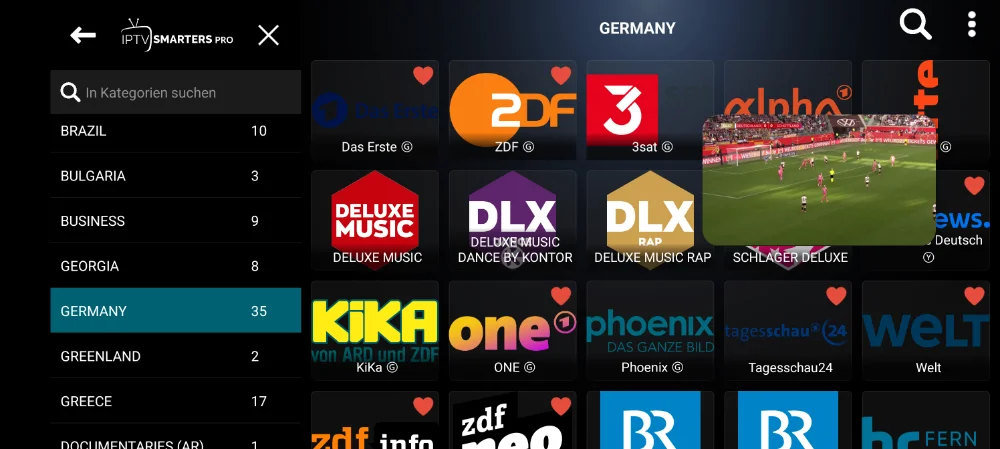
Download IPTV Smarters Pro or TiviMate on your device. On Firestick, use the Downloader app to sideload the APK.
Step 3: Configure Your Subscription
Enter your IPTV credentials (M3U URL or Xtream Codes login) into the app. Make sure all the sports and World Cup channels are loading properly.
Step 4: Set Up the EPG
Load the Electronic Program Guide so you can see match schedules and kickoff times.
Step 5: Test Before Kickoff
Don't wait until the first match to test everything. Open the app a few days before the tournament.
Multi-Screen Viewing During the World Cup
During the group stage, multiple matches often kick off at the same time. IPTV lets you watch the main match on your TV and stream a second match on your phone simultaneously.
Frequently Asked Questions
How many matches are in the 2026 World Cup?
The 2026 FIFA World Cup will feature 48 teams playing 104 matches over 39 days.
Will IPTV show all World Cup matches?
Yes, a quality IPTV service gives you access to every broadcaster covering the tournament.
Can I watch in 4K on IPTV?
Many IPTV services offer 4K streams for major sporting events. Make sure your device supports 4K and your speed is at least 25 Mbps.
What if I miss a match?
Most IPTV services include catch-up TV features that let you watch matches you missed.
Do I need a VPN to watch the World Cup on IPTV?
In most cases, no. However, if you want to access broadcasts from specific countries, a VPN may be helpful.