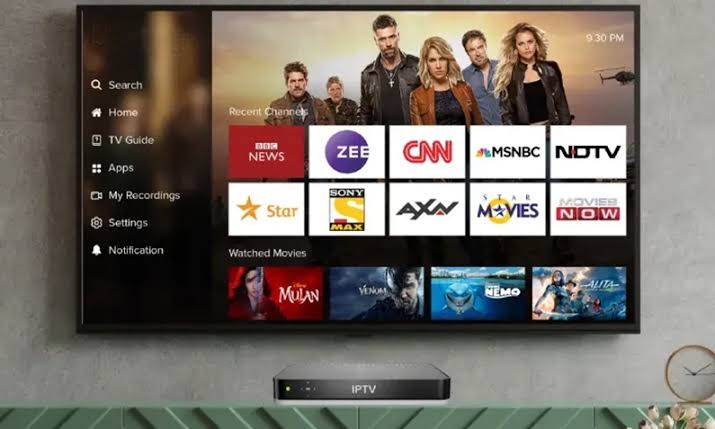
How to Watch IPTV Abroad with Local Channels
Moving abroad or traveling internationally does not mean losing access to your local TV channels. With the right IPTV setup, you can watch IPTV abroad with local channels from your home country no matter where you are in the world. This is essential for expats, frequent travelers, and anyone who wants to stay connected to home.
The main challenge with watching IPTV abroad is geo-restriction. Many channels use geographic filtering to limit access based on your IP address. When you connect from a different country, certain channels might be blocked. A VPN solves most of these problems.
Why Channels Get Blocked Abroad
Broadcasting rights are typically sold on a country-by-country basis. A channel that has rights to show Premier League matches in the UK may not have those rights in Germany, so the stream gets blocked. Your IPTV provider may also restrict access to comply with licensing agreements.
Some IPTV services are more aggressive about geo-blocking than others. Premium providers with formal licensing enforce restrictions more strictly. Grey-market services may be less strict but can still implement blocks when pressured by content owners.
Using a VPN to Access Your IPTV Abroad
A VPN is the most reliable way to watch local channels from abroad. Connect to a VPN server in your home country before opening your IPTV app. This makes it appear as though you are browsing from home, bypassing most geo-restrictions.
Set up the VPN on the same device where you run your IPTV app. If you are using a Firestick, install the VPN app directly. For smart TVs that do not support VPN apps, set up the VPN on your router or use a travel router with built-in VPN support.
Not all VPNs work equally well for IPTV. Look for VPNs with WireGuard or OpenVPN protocols for the best speed. NordVPN, Surfshark, and ExpressVPN all have Firestick apps and fast servers suitable for streaming.
Choosing an IPTV Provider That Works Abroad
When selecting an IPTV service for international use, ask about their geo-restriction policy. Some services work globally while others limit access to specific regions. Providers that use the Xtream Codes API tend to be more flexible about connection locations.
Consider a provider that offers servers in multiple regions. This gives you connection options if one server path gets blocked.
Practical Tips for Expats and Travelers
Test your IPTV setup before you travel. Make sure your VPN works with your IPTV app and that your subscription is active. Download any needed apps ahead of time so you are not scrambling in a hotel room.
Keep your VPN connected whenever you use IPTV abroad for both geo-unblocking and security. Public Wi-Fi networks in hotels and airports are prime targets for data interception.
Frequently Asked Questions
Can I use my regular IPTV subscription abroad?
In most cases, yes. Your subscription is account-based. However, some channels may be geo-restricted. A VPN connected to your home country bypasses most restrictions.
Will a VPN slow down my IPTV streaming?
Any VPN adds some overhead, but modern protocols like WireGuard have minimal impact on speed. With a good VPN, you should notice little difference on connections of 25 Mbps or higher.
What is the best VPN for watching IPTV abroad?
NordVPN, Surfshark, and ExpressVPN are top choices with fast servers in many countries and dedicated apps for Firestick and mobile devices.
Stay connected to home TV wherever you travel! Get IPTV - .58/month