Set Up IPTV on a Formuler Z11 Box
The Formuler Z11 is one of the best dedicated IPTV boxes on the market. Unlike Firesticks or generic Android boxes, the Formuler Z11 is built specifically for IPTV streaming with hardware and software optimized for live TV. If you have just bought one and need to set up your IPTV service, this guide walks you through every step.
What Makes the Formuler Z11 Special
- MYTVOnline2 app - Formuler's proprietary IPTV player is fast, stable, and feature-rich
- 4K HDR support - Hardware decodes 4K content smoothly
- Gigabit Ethernet - Wired connection for the most stable streaming
- Android TV OS - Access to Google Play Store for additional apps
- IR remote included - Navigate without needing extra peripherals
What You Need
- Formuler Z11 box connected to your TV via HDMI
- Internet connection (Ethernet recommended)
- Your IPTV subscription details (server URL, username, password)
Step-by-Step Setup
Step 1: Initial Setup
Connect the Formuler Z11 to your TV with HDMI, plug in the power adapter, and turn it on. Follow the on-screen setup wizard to connect to Wi-Fi or Ethernet and sign into your Google account.
Step 2: Open MYTVOnline2
From the home screen, find and open the MYTVOnline2 app. This is pre-installed on every Formuler device.
Step 3: Add Your IPTV Playlist
Click the Add Portal button (or press the plus icon). Select XTREAM-CODES API as the connection type.
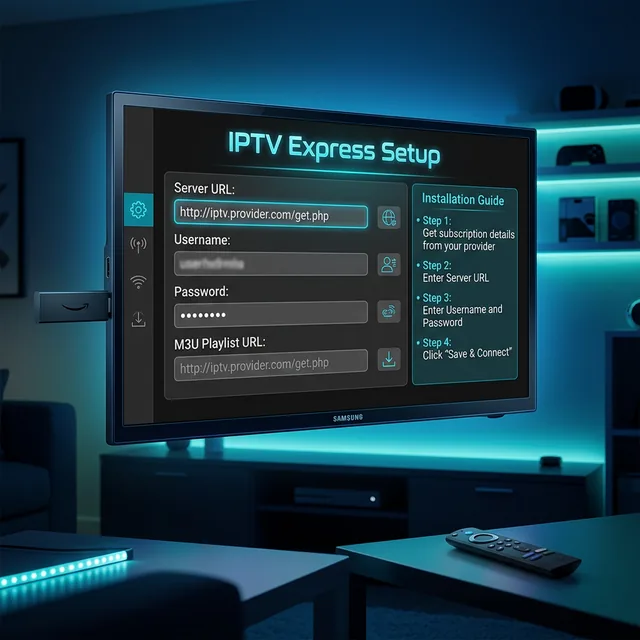
Step 4: Enter Your Credentials
- Portal Nickname: Give it a name like My IPTV
- Portal URL: Enter your server URL from your IPTV provider
- Username: Enter your IPTV username
- Password: Enter your IPTV password
Step 5: Connect and Load
Click Connect. MYTVOnline2 will download your channel list, VOD library, and EPG data. This usually takes 30-60 seconds depending on the size of your subscription.
Step 6: Browse and Watch
Once loaded, use the remote to browse channels by category. Press OK on any channel to start watching. The EPG shows what is on now and what is coming up.
Optimizing Formuler Z11 Settings
- Stream format: Set to TS for best compatibility
- Buffer size: Increase to Medium or Large for smoother playback
- EPG refresh: Set to every 12 hours for up-to-date listings
- Auto-start: Enable MYTVOnline2 to auto-start on boot
Frequently Asked Questions
Can I use any IPTV service on Formuler Z11?
Yes, any IPTV service that provides Xtream Codes or M3U playlist access works on the Formuler Z11.
Is Formuler Z11 better than Firestick for IPTV?
For dedicated IPTV use, yes. The Formuler Z11 has better hardware, Ethernet, and MYTVOnline2 is purpose-built for live TV streaming.