Watch IPTV on a Projector for the Ultimate Big Screen
Watching IPTV on a projector transforms your living room into a home cinema. Instead of a 55-inch TV, imagine your favorite sports, movies, and live shows projected at 100, 120, or even 150 inches. The experience is unmatched, and it is easier to set up than you think.
Whether you have a dedicated home theater room or just a blank wall in your living room, here is everything you need to know about getting IPTV running on your projector.
What You Need for IPTV on a Projector
- A projector with HDMI input (most modern projectors have this)
- An IPTV streaming device - Firestick, Android TV box, or a laptop
- An HDMI cable to connect your streaming device to the projector
- A sound system - Projector built-in speakers are usually weak
- A stable internet connection - At least 10 Mbps for HD, 25 Mbps for 4K
- A projection surface - A white wall works, but a proper screen is better
Best Projectors for IPTV in 2026
| Projector | Resolution | Brightness | Price | Best For |
|---|---|---|---|---|
| Epson Home Cinema 2350 | 1080p | 2800 lumens | $700 | Best value |
| 4K | 3000 lumens | $1,600 | Best 4K gaming | |
| XGIMI Horizon Ultra | 4K | 2300 lumens | $1,800 | Best smart projector |
| BenQ TH685P | 1080p | 3500 lumens | $800 | Bright rooms |
Step-by-Step Setup Guide
Step 1: Position your projector. Calculate the throw distance based on your desired screen size. Most projectors need 8-12 feet for a 100-inch image.
Step 2: Connect your streaming device. Plug your Firestick or Android TV box into the projector's HDMI port using an HDMI cable or adapter.
Step 3: Connect your sound system. Run an HDMI cable from your streaming device to a soundbar or AV receiver, then to the projector. Or use Bluetooth audio if supported.
Step 4: Turn on the projector and switch to the correct HDMI input.
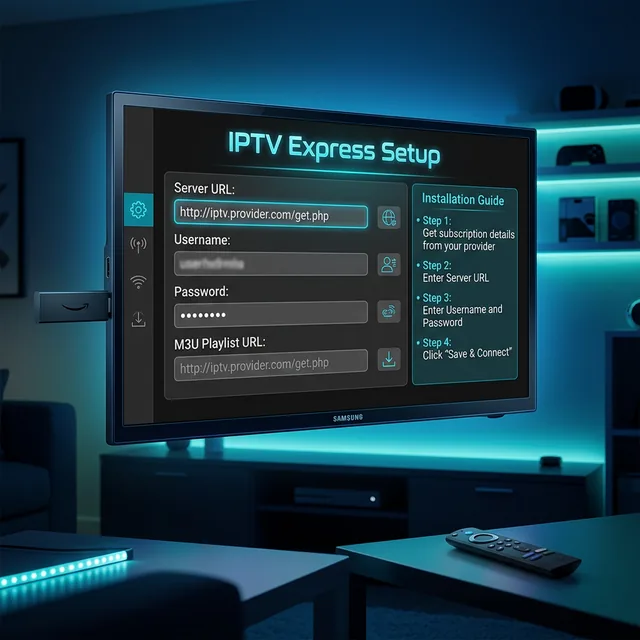
Step 5: Set up your IPTV player on the streaming device. Install IPTV Smarters Pro or TiviMate.
Step 6: Enter your IPTV credentials and load your channels.
Step 7: Adjust projector settings for the best picture. Set brightness to Cinema or Movie mode for accurate colors.
Projector Settings for Best IPTV Picture
- Picture Mode: Use Cinema or Movie mode for accurate colors. Avoid Dynamic or Vivid modes.
- Brightness: Adjust so dark scenes are visible but blacks still look dark.
- Contrast: Set to around 70-80% for the best balance.
- Sharpness: Keep low (around 2-3 out of 10). IPTV streams are already compressed, and high sharpness makes it look worse.
- Color Temperature: Set to Warm for the most natural look.
- Keystone Correction: Use only if your projector is not perfectly centered. Auto keystone can reduce image quality.
Audio Setup for Projector IPTV
Projector speakers are terrible for most content. Here are your audio options:
- Soundbar with HDMI ARC - Best option. Connect soundbar to projector via HDMI ARC, and your streaming device to the soundbar.
- Bluetooth speakers - Convenient but may have slight audio delay (lip-sync issues).
- AV Receiver - Best for home theater enthusiasts with surround sound systems.
- Wireless headphones - Great for late-night viewing without disturbing others.
Pros and Cons of IPTV on a Projector
| Pros | Cons |
|---|---|
| Huge screen size (100-200 inches) | Needs a dark room for best picture |
| Portable - take it anywhere | Projector bulbs have limited lifespan |
| More immersive sports viewing | Built-in speakers are weak |
| Lower cost per inch than TVs | Higher input lag for gaming |
Frequently Asked Questions
Can I use a projector with a Firestick?
Yes. Simply plug the Firestick into the projector's HDMI port. If your projector lacks HDMI, use an HDMI to USB-C or VGA adapter.
What resolution do I need for IPTV on a projector?
1080p is perfectly fine for most projector sizes. 4K is nice for screens over 120 inches where individual pixels become visible.
Will IPTV look good on a projector?
Yes, with a decent projector and proper settings. Use Cinema mode, keep sharpness low, and ensure good ambient light control.
Get IPTV for Your Projector at $4.58/month
At $4.58/month or $55/year, get thousands of channels in 4K quality. Perfect for your big screen projector setup.
Get IPTV on WhatsApp